
fMusic & fPost are now Pro Tools Extensions · inside Pro Tools  Included in every fMusic and fPost plan.Discover the Extensions →

Skip the prep.
Now inside Pro Tools.

fMusic and fPost now run as Pro Tools Extensions: mix prep, AAF turnovers and stem exports, without leaving your session.
Pro Tools 2026.10+macOS 13.5+Free to start
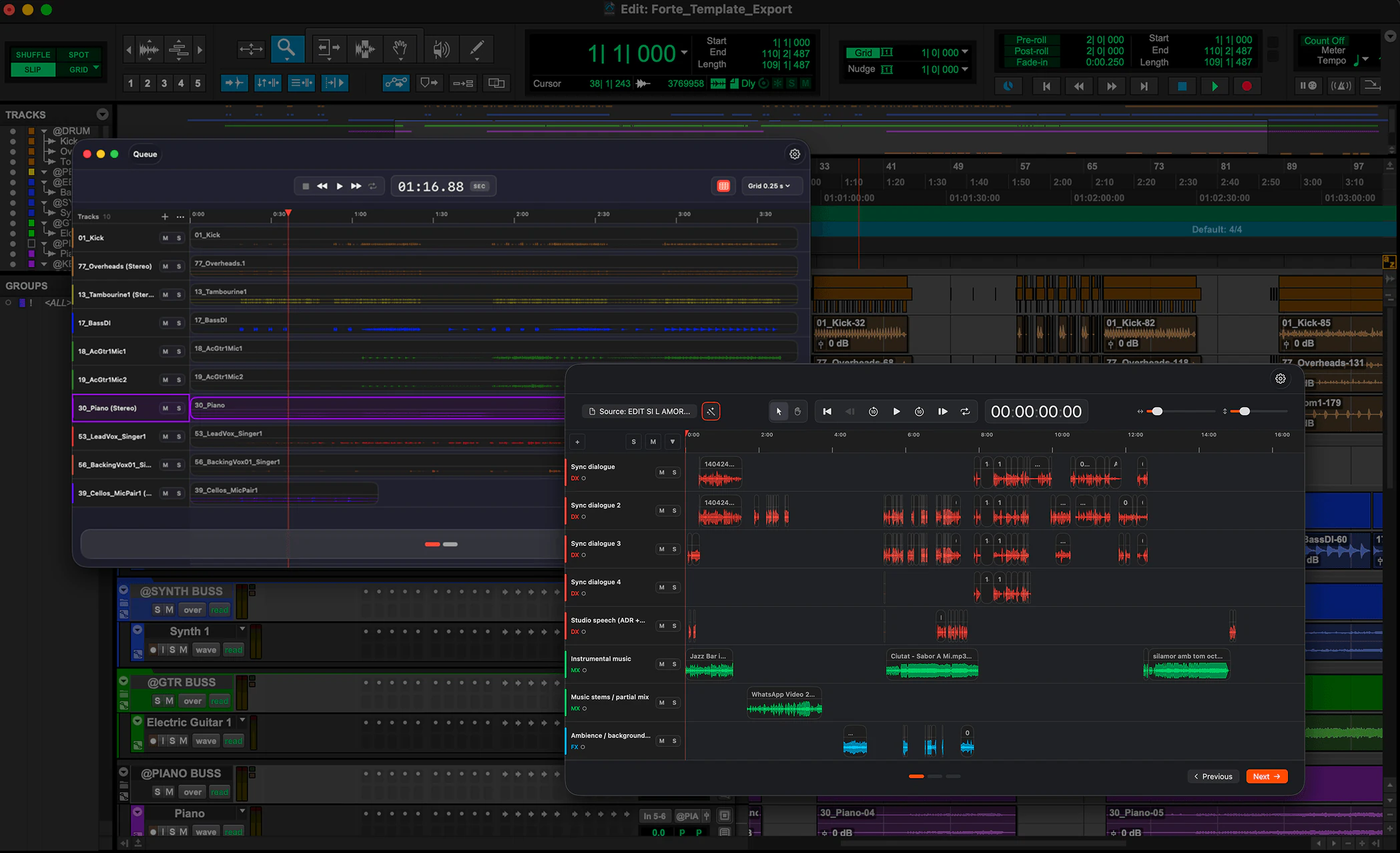
fMusic and fPost running in a Pro Tools session

One for music. One for post.

fMusic automates music deliverables. fPost automates audio post. Both open from the Extensions panel in Pro Tools, with the same account and plan as the apps.

fMusic Extension

Mix prep and stems, inside Pro Tools.

Mix prep on import, any session reorganized to your naming, colors and routing (Suite), stems and alt mixes on delivery. Opened from the Extensions panel, as a full window or a side tab.
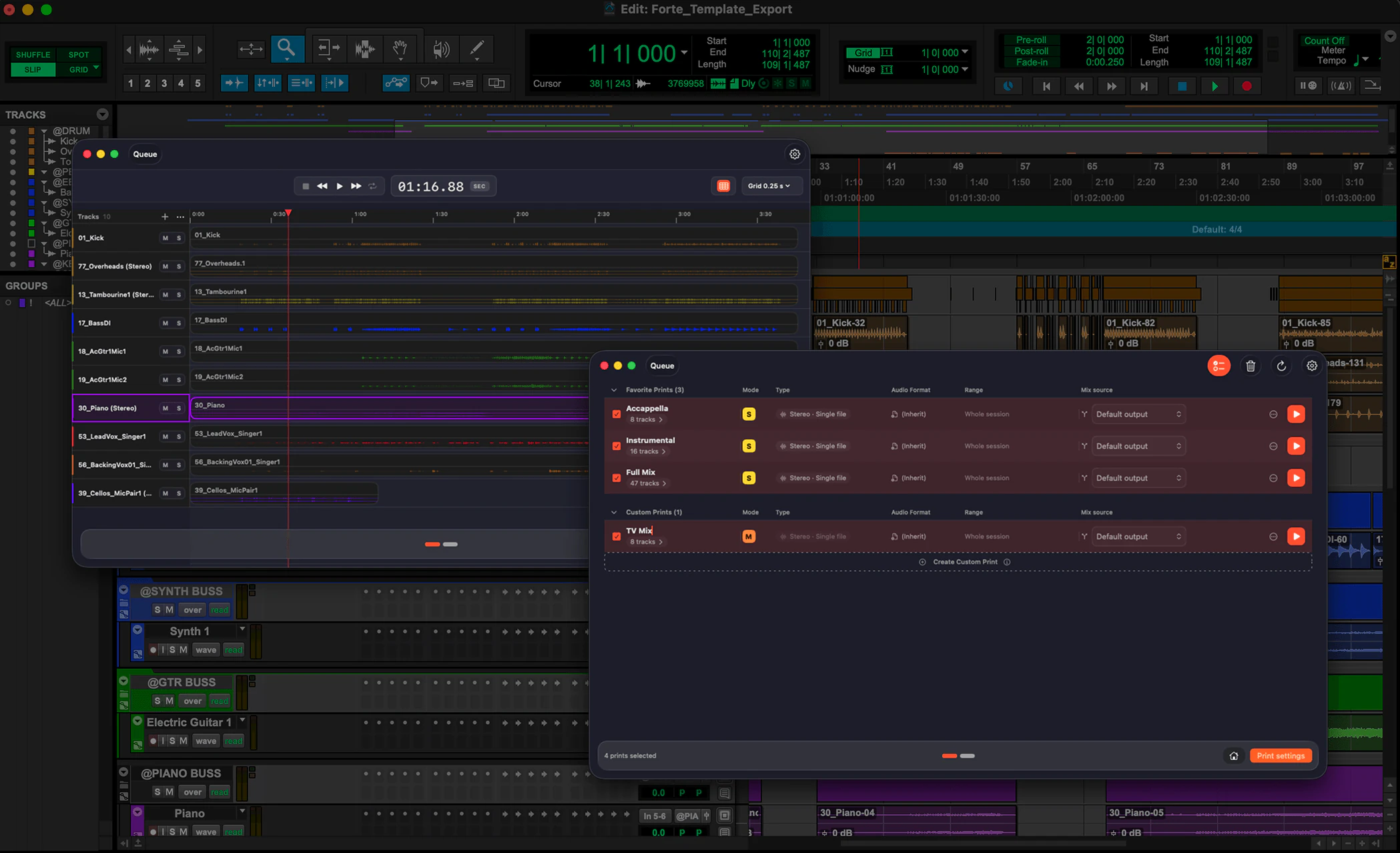
Mix PrepSession ReorganizeStem ExportMulti-session Batch
Explore the fMusic Extension →
fPost Extension

Audio post on autopilot, inside Pro Tools.

AAF import, session reorganization and on-device content detection, opened from the Extensions panel, so your team starts mixing faster.
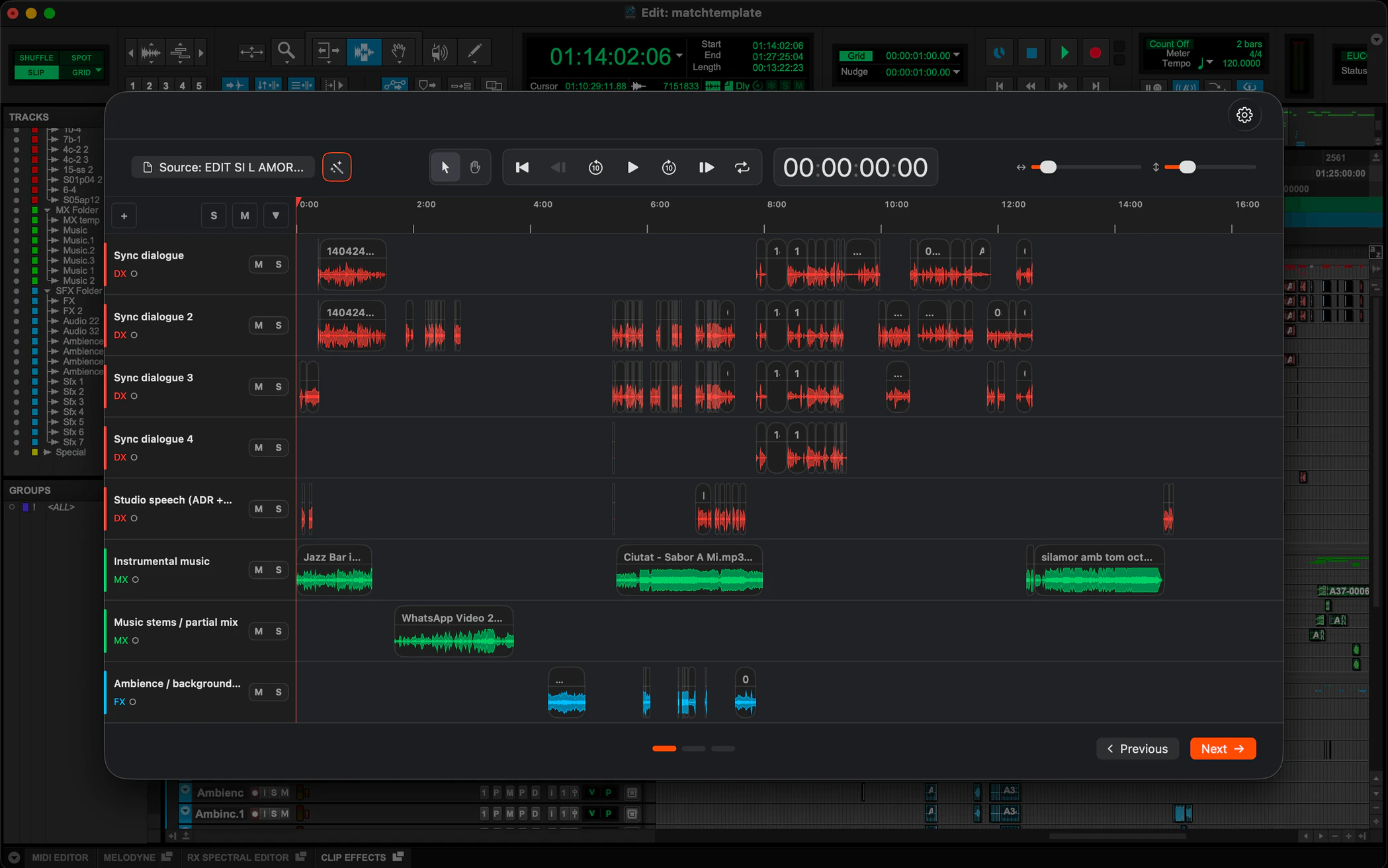
AAF ImportSession Reorganize100% local
Explore the fPost Extension →

What our partners say

Dave TylerDirector of Audio Partnerships, Avid

“Placeholder for Dave Tyler’s quote: two or three sentences on what fMusic and fPost bring to Pro Tools users as Pro Tools Extensions.”

The partnership

From partner to Extension, in sixteen months.

June 2025

Avid Technology Partner

Forte becomes an Avid Technology Partner. The same month fMusic ships export: full stem deliverables, automated.

April 2026

Avid shows fPost at NAB

An AAF turnover prepped into a mix-ready Pro Tools session, demonstrated by Avid in Las Vegas.

September 2026

Extensions previewed at IBC

Avid previews Pro Tools Extensions in Amsterdam, third-party tools running inside Pro Tools, Forte among them.

October 2026

fMusic and fPost ship as Extensions

Both run inside Pro Tools 2026.10, from the Extensions panel, with the same account and plan as the apps.

Frequently asked questions

Pro Tools Extensions, what is free and the partnership. If yours is missing, get in touch.

A Pro Tools Extension is a third-party tool that runs inside Pro Tools, opened from the Extensions panel as a full window or a narrow side tab, instead of as a separate application. Pro Tools 2026.10 introduces Extensions, and fMusic and fPost are two of them, each its own Extension.
No. Each Extension is the same product as its desktop app, one the replica of the other: a paid fMusic plan includes the fMusic Extension, a paid fPost plan includes the fPost Extension, and a plan bought from an Extension unlocks the desktop app too. Same account, same Studio, Suite and Lifetime plans, at the same prices as on the [pricing page](/pricing).
In Pro Tools 2026.10, open the Extensions panel or pick Extensions from the menu bar: fMusic and fPost are listed there. Pro Tools sends you to Avid’s Extensions page to download the installer; the same installers are on the [Forte download page](/download).
The first run is a free trial with every feature and unlimited capacity, and no account is needed to start. The Visualizer is always free, so you can see how any session would be prepped, organized or exported as often as you like. After the trial you keep 2 imports or organizes a month on each Extension and 2 exports a month on fMusic, free. The limits sit on the final step, never on tracks or clips, and AAF Checker stays free.
No. The Extension brings the same workflows into Pro Tools, so the session stays in front of you and you never switch apps. The desktop apps stay available with the same plan, for the rooms that prefer them.
No. The Extension runs the same on-device engine as the app: recognition and classification happen on your Mac, offline, and nothing is uploaded. That is what makes it usable on material under NDA.
The Extensions need Pro Tools 2026.10 or later and macOS 13.5 or later, for fMusic and fPost alike.

Try Forte.

Pro Tools 2026.10+macOS 13.5+Free to start