
Mix prep and stems.
Now inside Pro Tools.
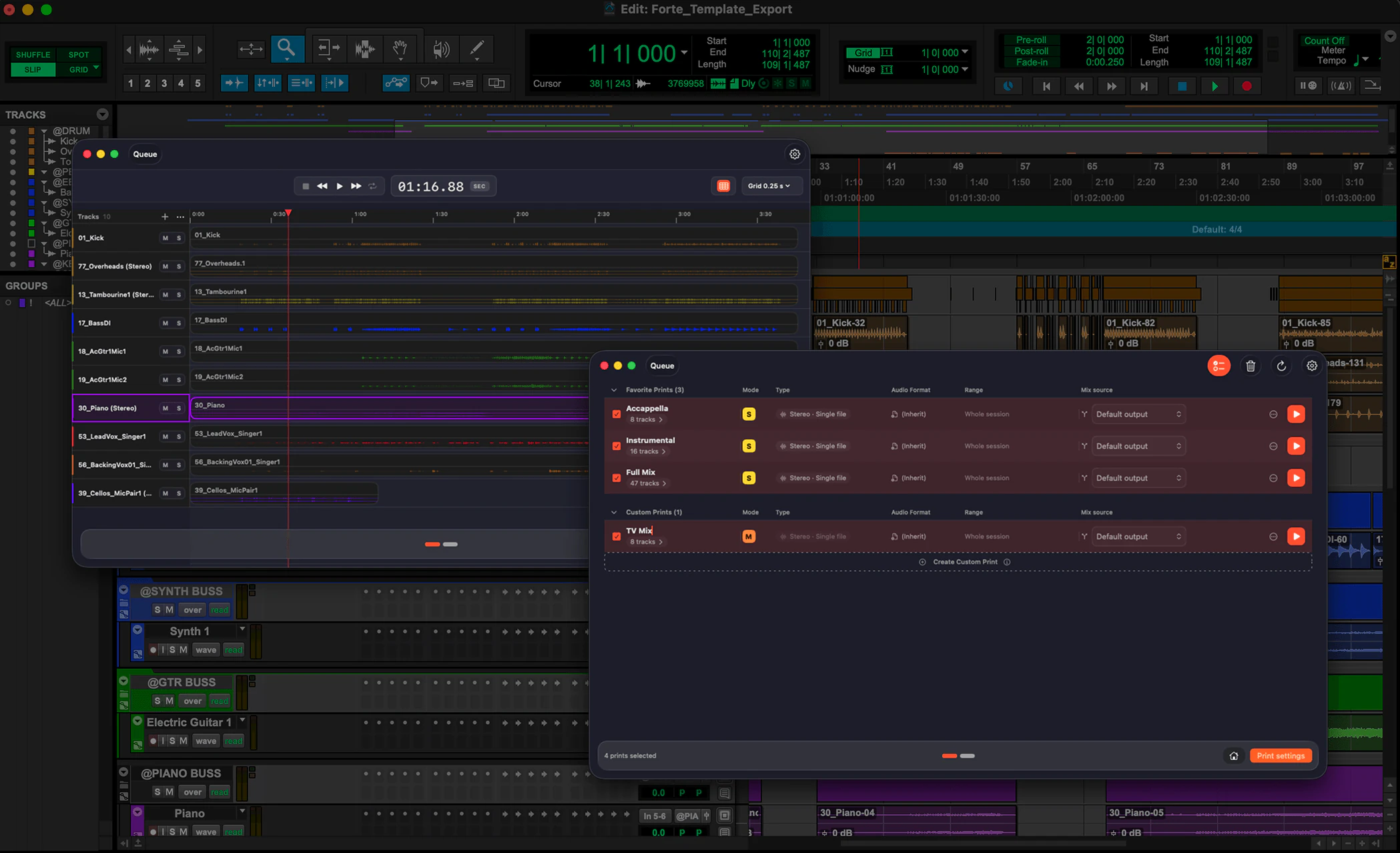
Mix prep on import, any session reorganized, every stem printed in one batch, from the Extensions panel. Included in every fMusic plan.
Prefer the desktop app? fMusic →
Import. Organize. Export.
A folder of files in. A mix-ready session out.
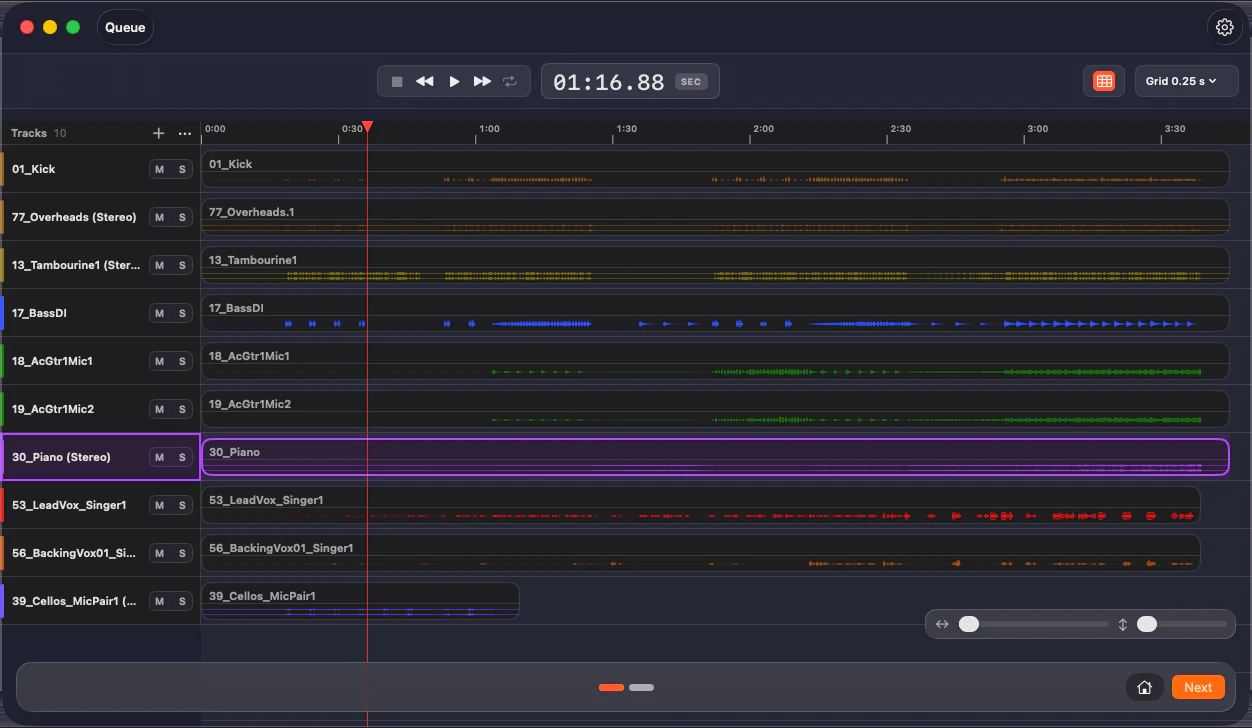
Drop in stems or a whole folder: every track is recognized on device, named, colored, grouped and routed to your template, with fake stereo folded to mono, silence stripped per instrument category and levels gain staged to your target.
Any session, reorganized to your standard.
Point fMusic at the session you have open: it reads it track by track, recognizes what each one contains and reorganizes it, renamed, recolored, re-routed and reordered. A session from another room becomes yours in minutes. On Suite.
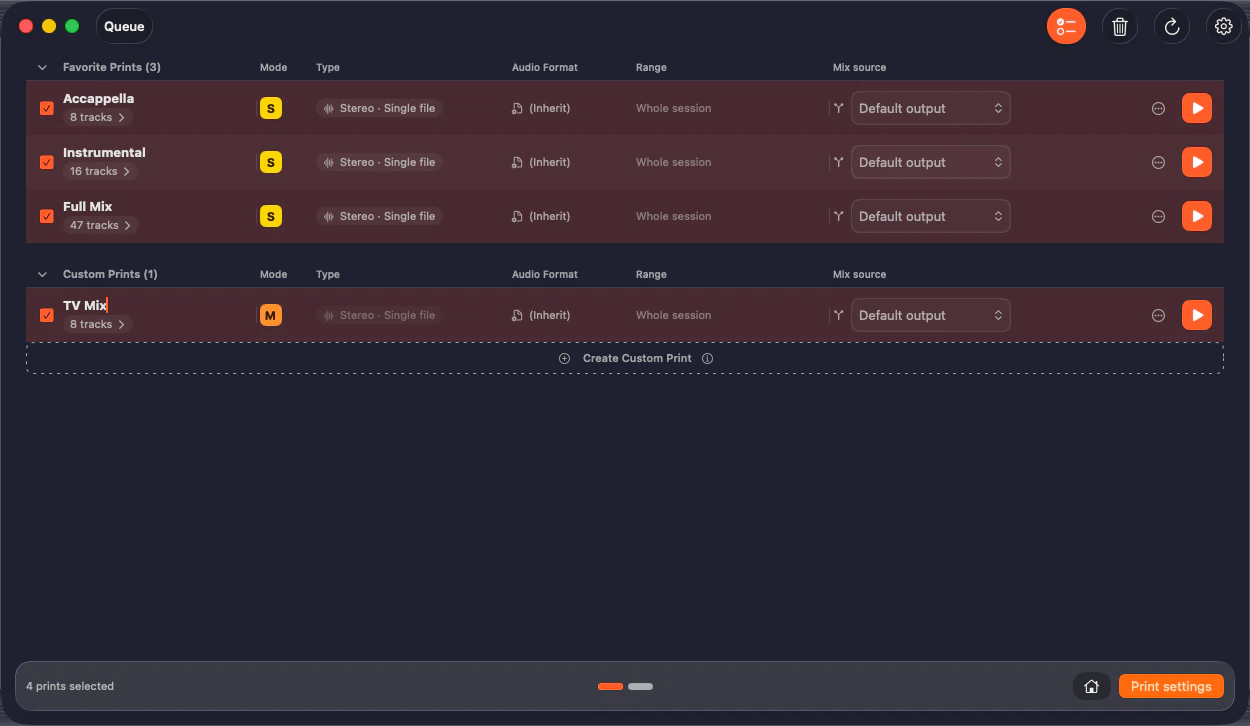
Every stem and alt mix, in one batch.
Preview each print, pull it from routing source or routing folder, and bounce every stem and alternate mix in one pass, in every format you need, through Pro Tools’ own bounce engine.
Watch the session run itself.
From import prep to printed stems, hands-off, on a real project.
Install it in three steps.
The fMusic Extension installs like any Pro Tools Extension. Get it from Avid or from us: it is the same installer.
- Step 1
Find it in Pro Tools
Open the Extensions panel in Pro Tools 2026.10, or pick Extensions from the Mac menu bar. fMusic is listed there as its own Extension.
- Pro Tools 2026.10 or later
- fMusic and fPost are separate Extensions
- Also listed on Avid.com
- Step 2
Download the installer
Pro Tools takes you to Avid’s Extensions page to download it. The same installer is on our download page, whichever is closer.
- Same installer from Avid or from us
- macOS 13.5 or later
- Everything runs on your Mac
- Step 3
Install and start free
Run the installer and fMusic appears in the Extensions panel. The first run is a free trial with everything unlocked.
- No account needed to start
- Full window or side tab
- Already on fMusic? Sign in, it is in your plan
What fMusic actually does, all day.
Measured in fMusic over the last 12 months, as of July 2026. Hours saved is an estimate: 30 minutes of manual work per import and per export.
Pricing that pays for itself.
Already on fMusic? The Extension is included in your plan. New to fMusic? Start free inside Pro Tools, with everything unlocked.
- Built for Pro Tools (included)
- 2 seats (included)
- Import module: mix prep to your template (included)
- Export module: stems, prints and alt mixes (included)
- Multi-session batch processing (included)
- Free updates (included)
- Organize module: any PTX reorganized to your setup (Suite only, not included)
- Match template and track preset modes (Suite only, not included)
- Audio normalization: target level, True Peak or RMS (Suite only, not included)
- Custom mix source, markers and formats per print (Suite only, not included)
- Stem categories from routing folders (Suite only, not included)
- Print preview with audition (Suite only, not included)
- Mixed queue: imports and exports in one batch (Suite only, not included)
- Full offline use, air-gapped (Suite only, not included)
What our partners say
“Placeholder for Dave Tyler’s quote: two or three sentences on what fMusic and fPost bring to Pro Tools users as Pro Tools Extensions.”

Frequently asked questions
Have a question about the fMusic Extension? These are the ones we hear most. If yours is missing, get in touch.